Scaling multi platform operations with 97.8% efficiency improvement
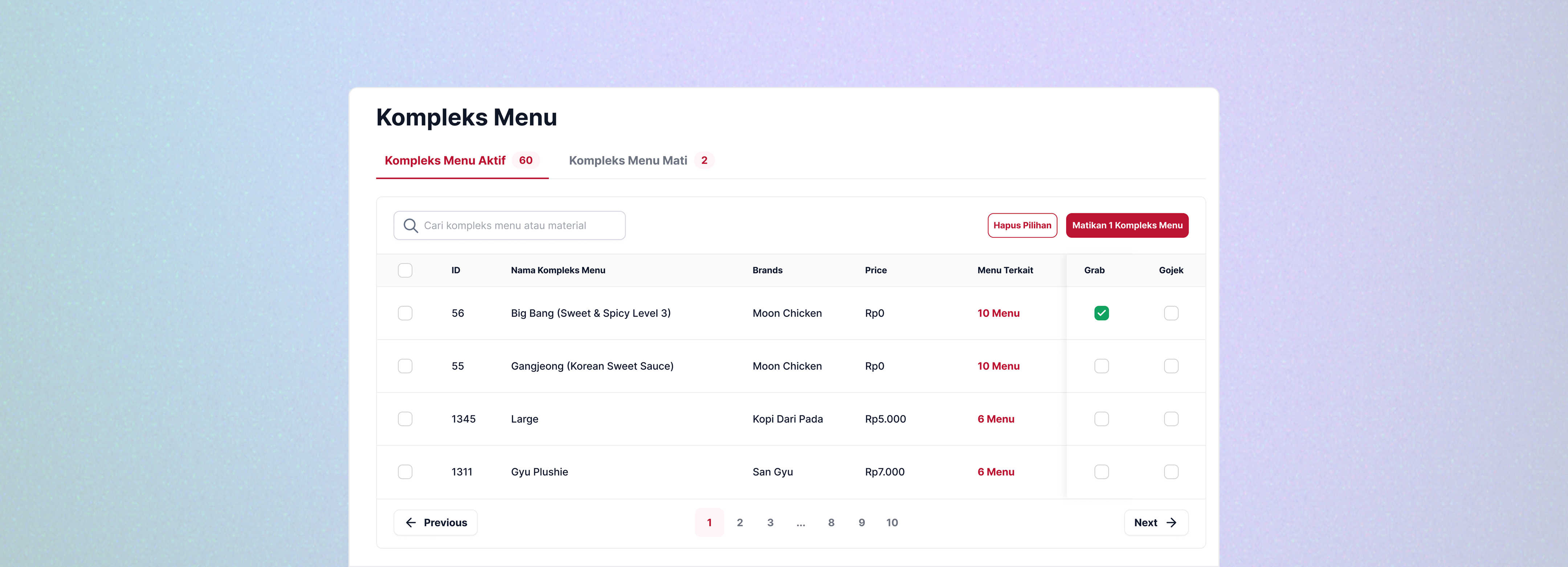
I led the design of the menu management project, one of the key initiatives aimed at helping the company reduce costs. By unifying menu control across 8 brands and 3 platforms into a single interface, the tool increased operational efficiency by 97.78% and saved IDR 64 million in hardware costs.
Problems
Every morning before the outlet opens, staff need to update menus based on stock and availability. Hangry has 8 brands, each with approximately 20 menu items, and each brand has its own phone connected to 3 food platforms: GoFood, GrabFood, and ShopeeFood.
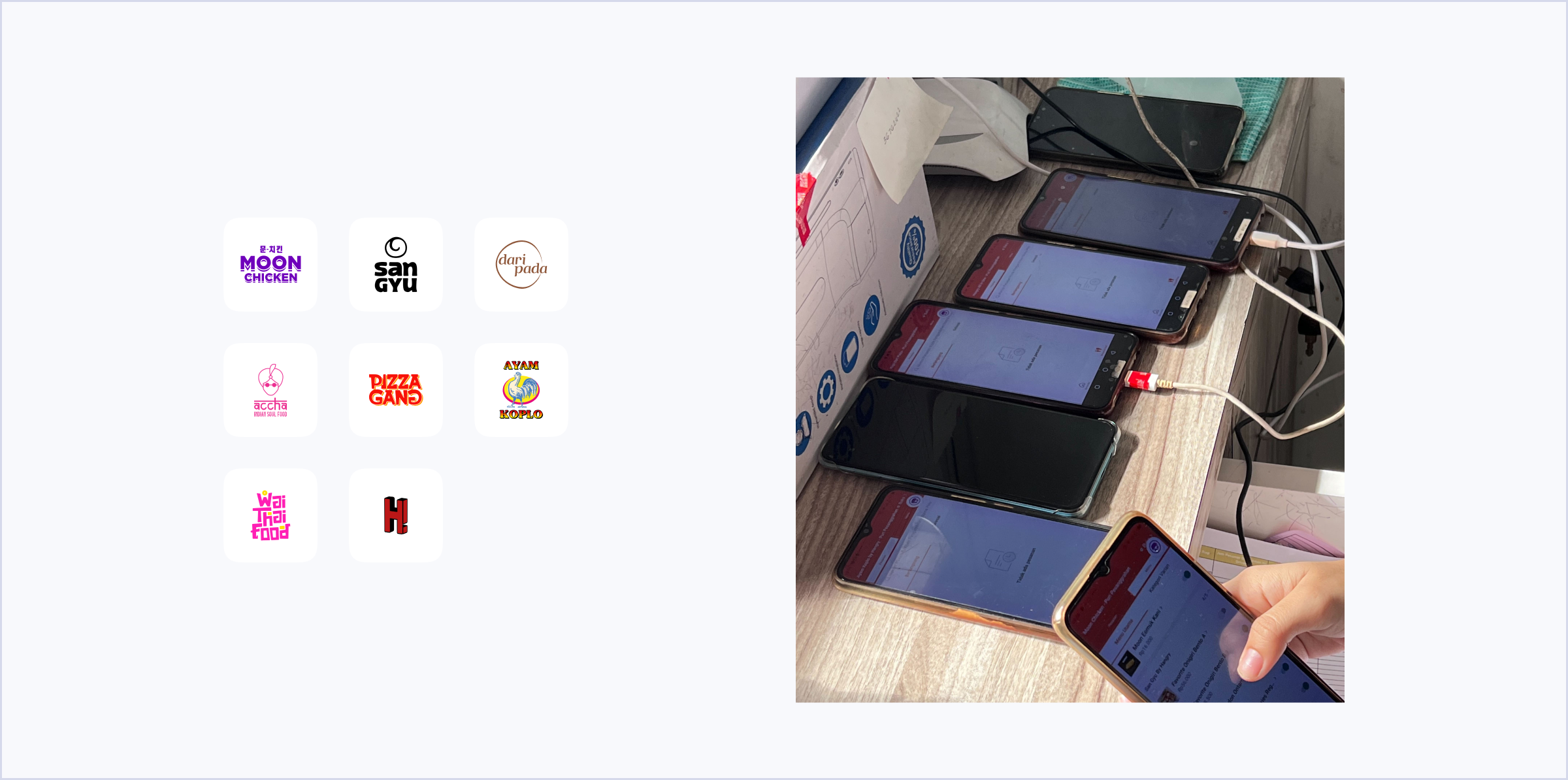
A new phone is required for each new brand at approximately IDR 1,600,000 per outlet. In the first half of 2023, 5 new outlets opened across Indonesia, and with continued expansion planned, hardware costs were scaling unsustainably alongside business growth.
Objectives
The Process
I visited one of the outlets to observe how staff typically manage menus and orders on-site.
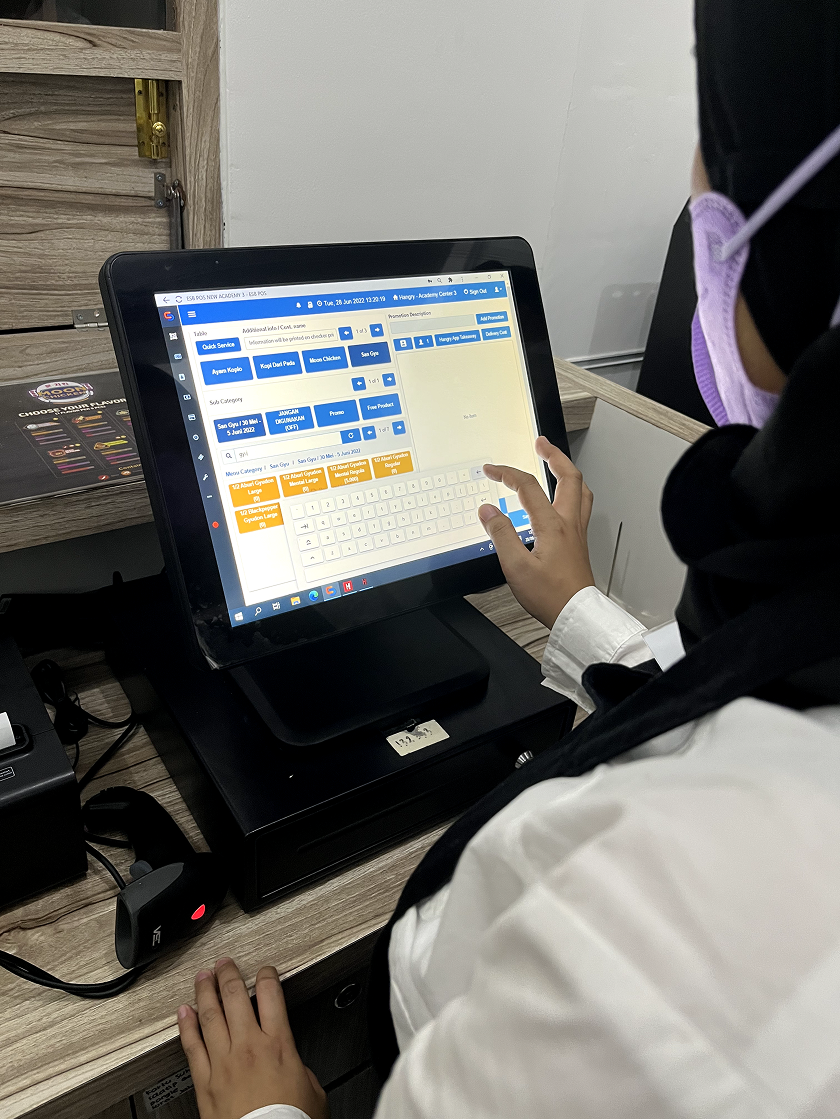
At this point, I want to understand how they usually manage the menu:
Since the requirements given by the PM are still unclear or not detailed enough, I have to gather requirements myself by reaching out to the stakeholders (Ops team). At this stage, I asked them to provide me with any documents they use to manage the menu. After receiving the documents, I discovered that the outlet staff usually turn off multiple menus across multiple brands.
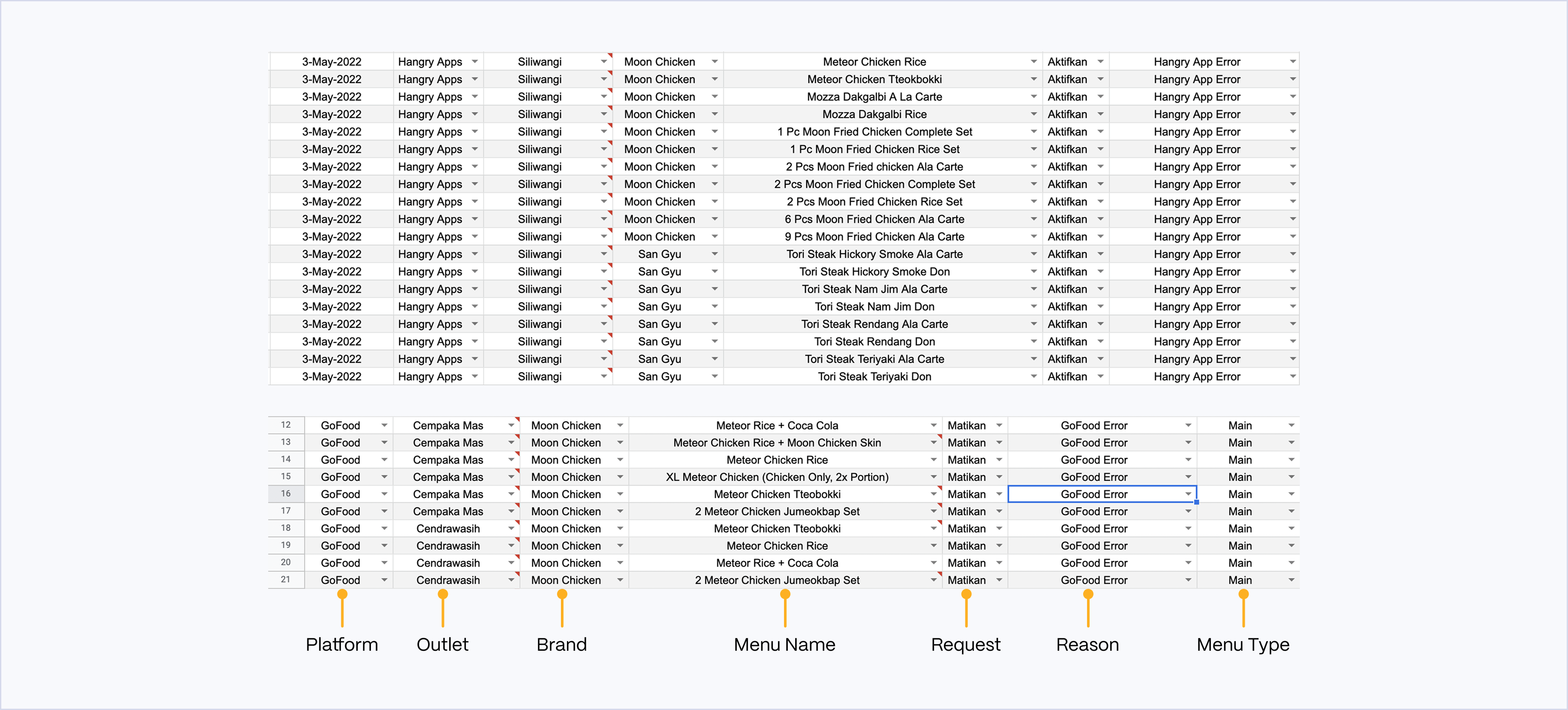
From the image shown above, I found out that the outlet staff can turn off/on multiple menus and brands for one reason. So, another requirement is gathered.
From the file above, we can see that the outlet staff are able to:
Context
Physical items or ingredients required to prepare or serve menu items. Materials are essential components for both parent and child menus, and their availability impacts the ability to offer related menu items.
The main menu item or dish that is offered on the menu. It is the primary option that may have various variants or sizes (child menus) associated with it.
A variant or specific option related to a parent menu item, such as different sizes, flavors, or customization choices. Child menus depend on the parent menu and may be affected by the availability of materials.
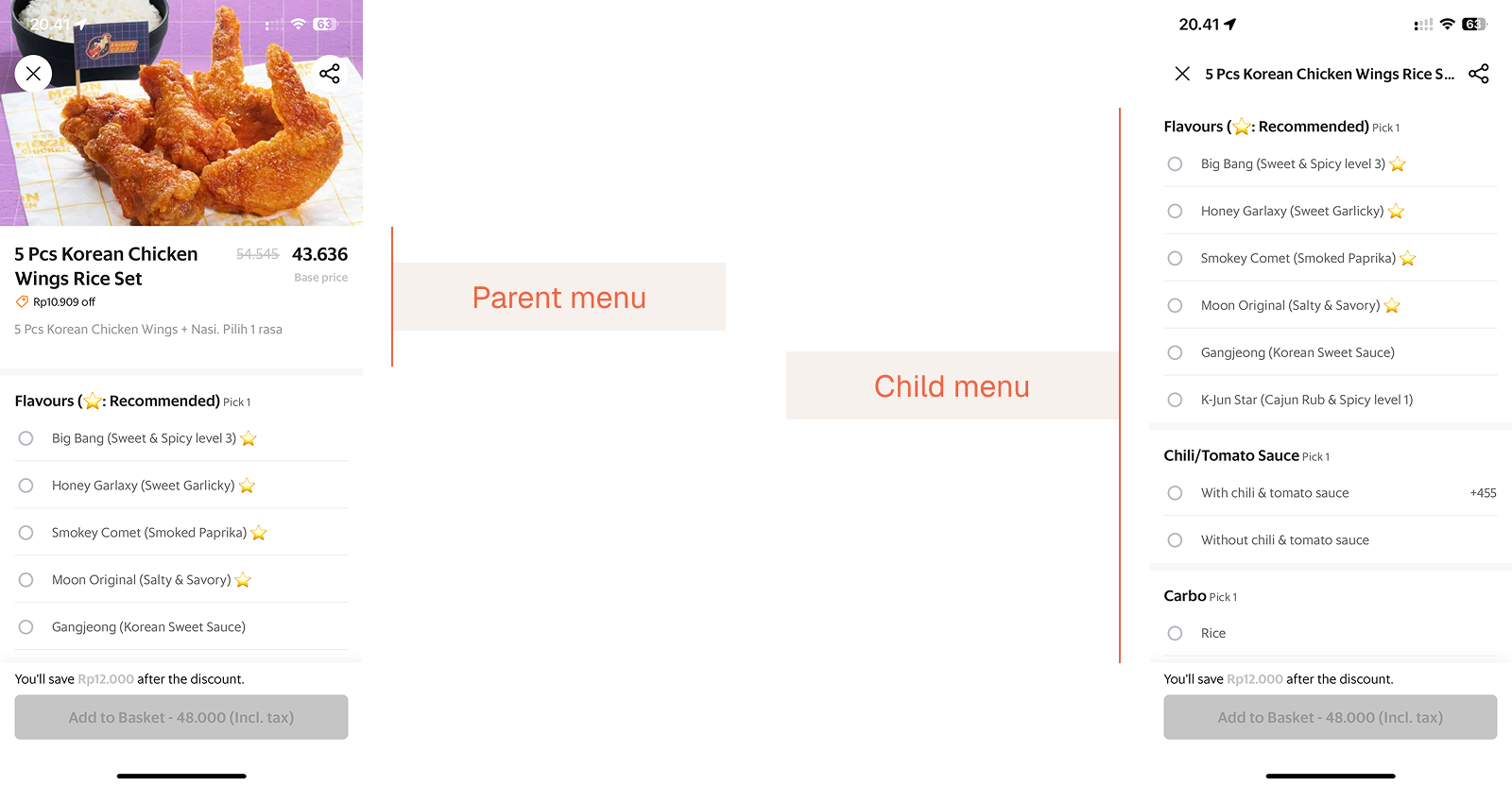
There are four main modules within the menu management, as follows:
Design Explorations
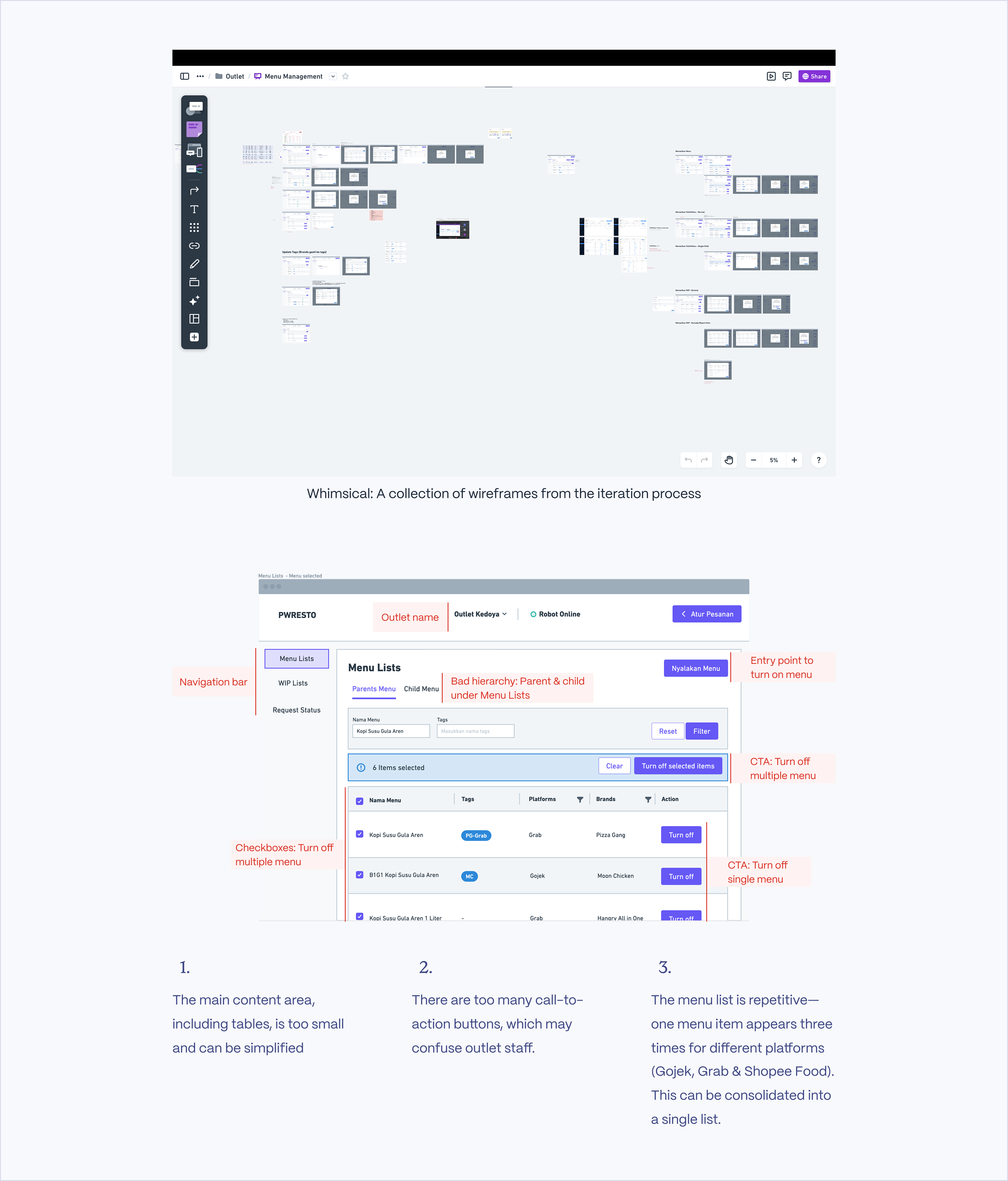
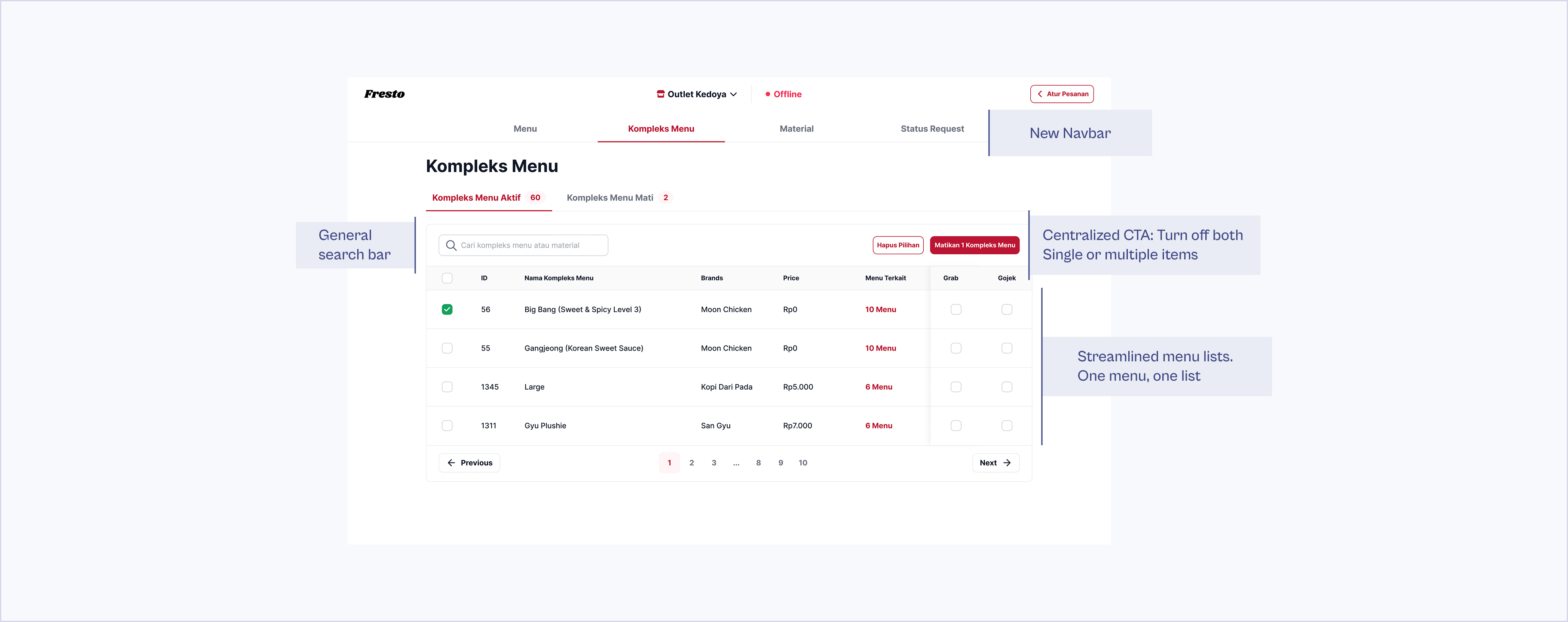
Here's the final UI of one of the modules in the menu management system: the Child Menu module. We went through several rounds of testing before reaching this version, including internal testing and a trial at one of the outlets. Only after implementing improvements based on feedback were we able to release it to all Hangry outlets.
Beyond the module screens, here are two of the core flows end to end. Step through each one using the arrows or thumbnails.
Results
Efficiency increase
Menu update time reduced from 90 min to 2 min per day. Staff can manage 480 items across 8 brands and 3 platforms from a single device
Saved in hardware costs
Reduced from IDR 72M (45 phones) to IDR 8M (5 phones) across 5 newly opened outlets in the first half of 2023
Phones per outlet
Each outlet previously needed 9 phones (8 brand-specific + 1 operational), now just 1, across 5 newly opened outlets in the first half of 2023